




A desk robot for Claude


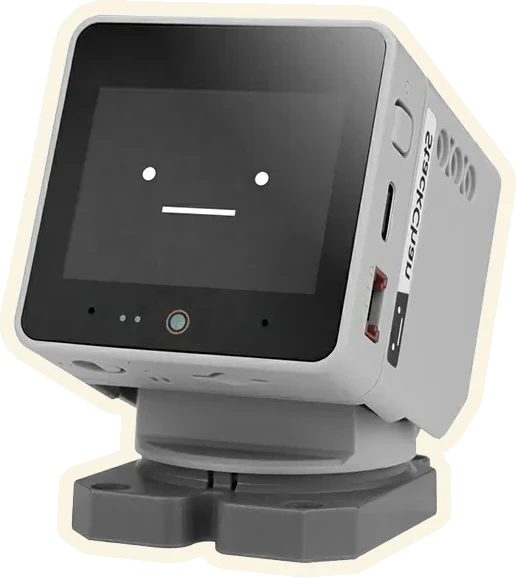
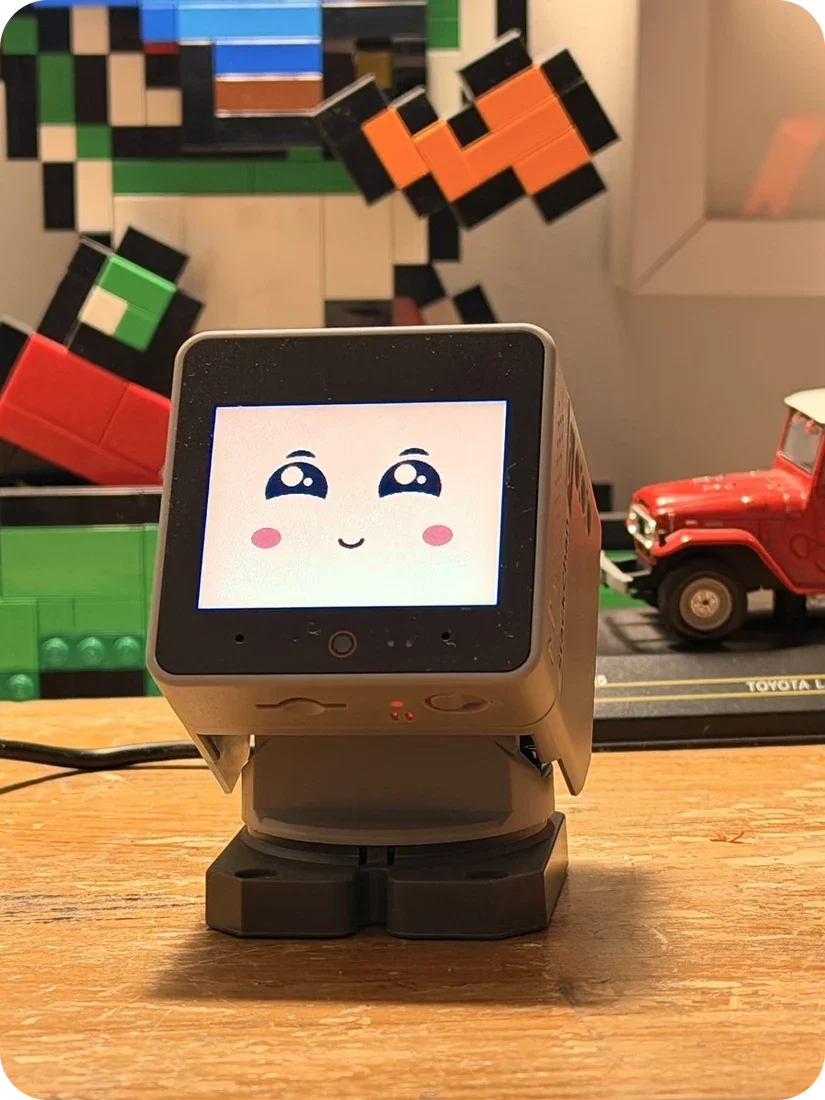
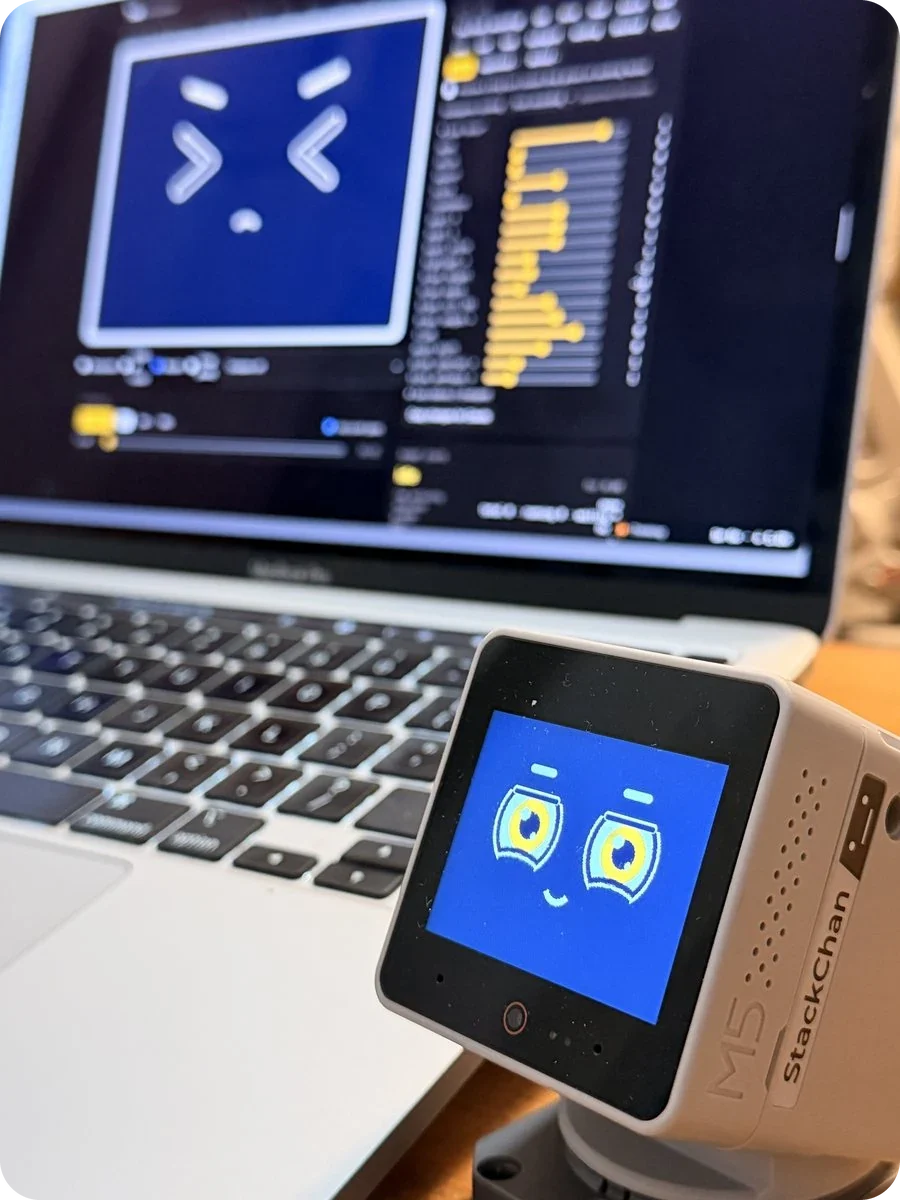
Toki sits on your desk and shows what Claude is doing, out of the corner of your eye. When Claude needs you, it looks up.
Open source, MIT. Runs on an M5Stack StackChan.


What it does
A face that follows the work
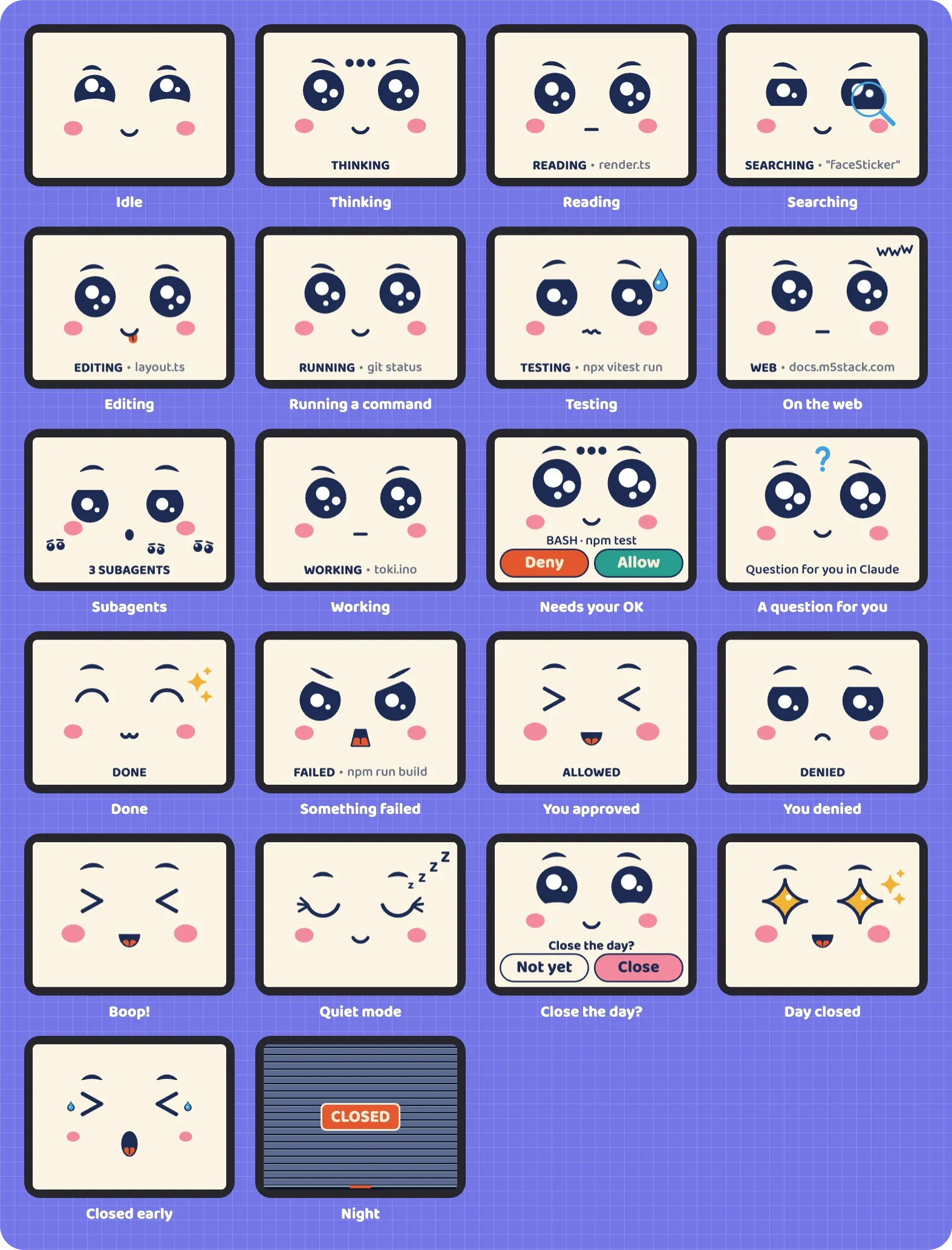
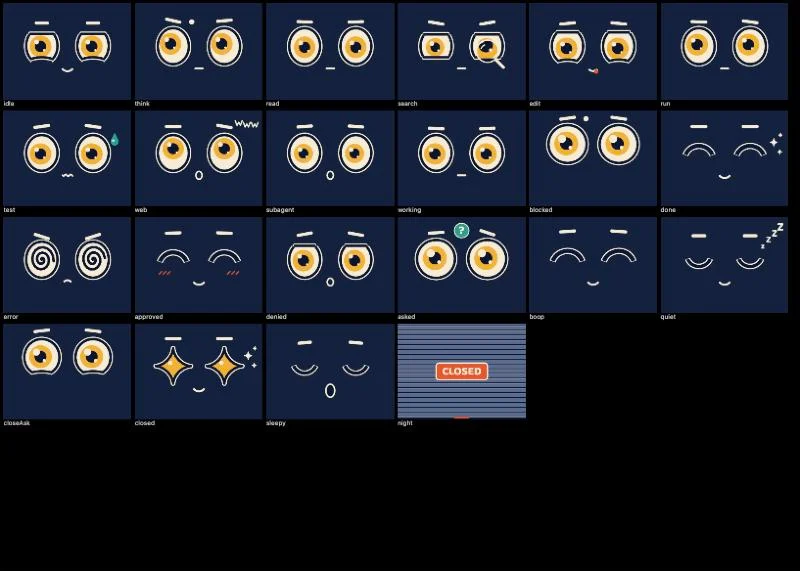
Toki's face changes with whatever Claude is doing. Reading, searching, running a command, sweating over your tests. Each kind of work has its own expression and a small manga symbol, so idle, busy and waiting each read differently at a glance.
There are 22 faces. Every one is drawn live, and every one is triggered by something real. Nothing on the screen is random.
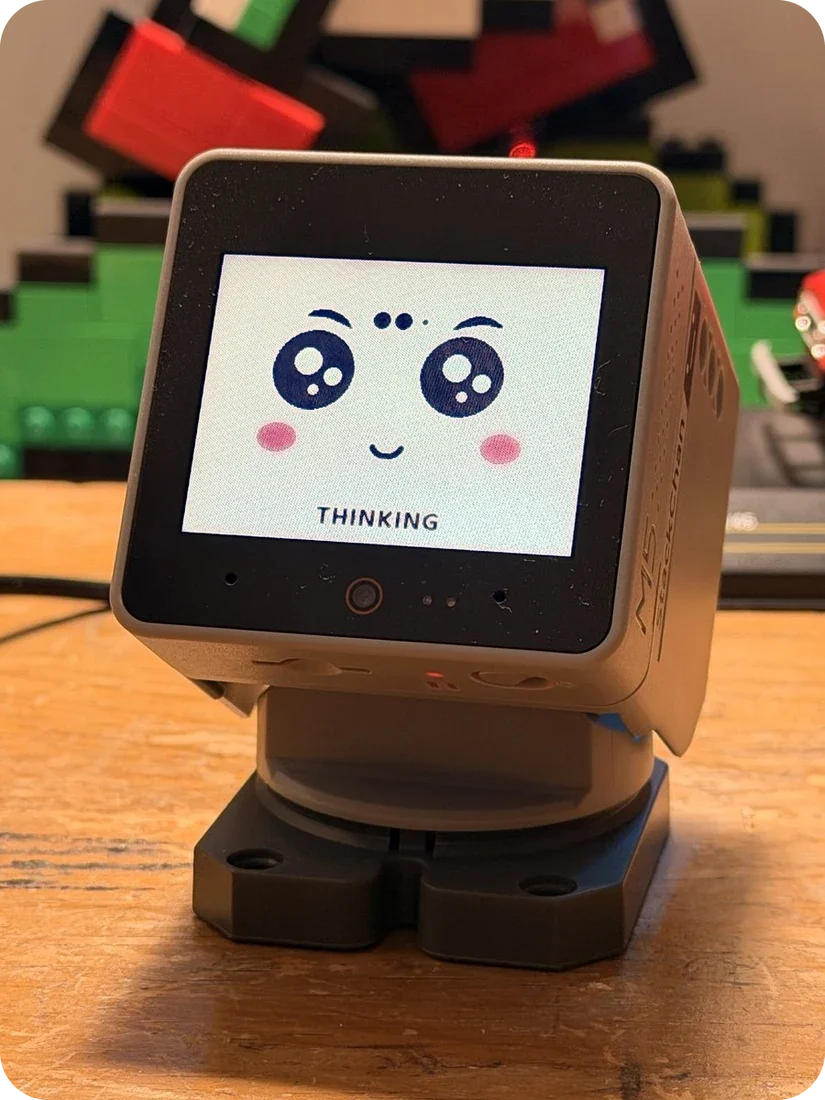
 Thinking.
Eyes up, three dots between the brows.
 Reading.
A label under the face says what, if you want it.
READING · render.ts Running a command.
 Needs your OK.
The head rises and the face waits for you.
 Done.
Done.




Try it
Say yes, say no
When Claude asks permission, you answer on Toki's face. Tap Allow or Deny. Hold Allow for Always allow, when Claude offers a rule. Questions stay in Claude, where you can read them.
This is Toki's real face, running in your browser.

Why a robot
Built for the edge of your vision
Supervising agents has become an attention problem. Anthropic's own figures say people approve 93 per cent of permission prompts, and the longest turns now run past 45 minutes. Watching every step stops making sense. What helps is a background sense of what's happening, and a clear call when you're needed.
Toki sits at the bottom edge of your vision, where the eye picks up shape and movement well and detail badly. So every face reads from its outline and its motion, and works in greyscale at arm's length.
The servos are loud, and I decided early to treat that as useful. A head movement is an interruption, so the body moves only when it matters. It rises when Claude is waiting for you, nods when you approve, and wiggles when you close the day.
- 1
Signal is continuous, and state is rare.
The face gives a constant read on the agents. The robot changes only when a person is needed.
- 2
The face carries the character, and the body punctuates.
A head movement is saved for moments that deserve one, the way a phone vibrates.
- 3
Record the relationship.
The scrapbook is a diary of working together. Waiting, struggling, shining.
Delight is allowed only when it carries a signal.
Research
Building on other people's work
Before writing any firmware I looked at what existed, what I could build on, and what I should leave alone.

Dangling String, Xerox PARC
Natalie Jeremijenko's wire that twitched with network traffic, written up by Mark Weiser and John Seely Brown as calm technology. People could feel the network without reading anything. Toki tries to do the same for agents.

claude-desktop-buddy, Anthropic
The Bluetooth protocol the Claude desktop app uses to talk to hardware. MIT licensed. Toki's Bluetooth bridge borrows from it.

StackChan-BSP, M5Stack
M5Stack's own base for the robot, and the one I chose to build on.

MoveCall's ESP32 port of the Buddy firmware
Already running on the same robot. I set it aside. It was harder to start from, had no servo support, and its display driver was fixed to the wrong screen for newer units.

stackchan-mcp
An existing bridge between the robot and AI tools, useful as a reference.

Coucou
A notch companion for coding agents. Its hook relay and installer shaped how Toki's bridge listens to Claude Code.
Working with hardware
A month on the bench
Firmware is less forgiving than a web page. The rule from the first day was that the robot must always be recoverable.
23 Sept
The robot arrives. Research, the concept, the first spec.

1 Oct
Backup before anything. All 16 MB of factory flash, checked twice. That night came the first link to Claude. An approval reached the robot 150 milliseconds after Claude asked, and Allow on the robot answered it.
2 Oct
The servos rated for noise from my chair, six speeds. Slower is quieter, but never silent, so the head only moves when it matters.
3 Oct
The first face on the glass, ringed eyes at 32 frames a second, then the bridge over Wi-Fi and approvals through Claude Code hooks. Same day.
4 Oct
The scrapbook, and the decision to make Toki installable by anyone.
15 Oct
A factory-restored robot set up from scratch with Homebrew, and the repo public on GitHub the same day.

15 Oct
A head tipped back after a factory restore, traced to the servo zero values stored on the chip. That became
toki calibrate.
21 Oct
The kawaii face, after four rounds of review on the robot itself. Firmware 0.1.5.



The face, redrawn
From ringed eyes to kawaii
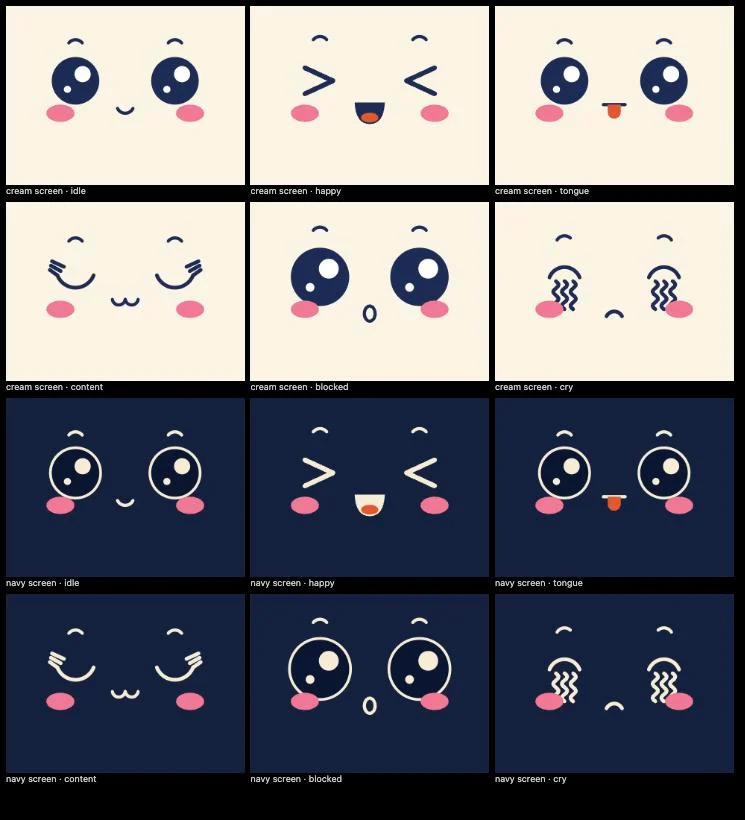
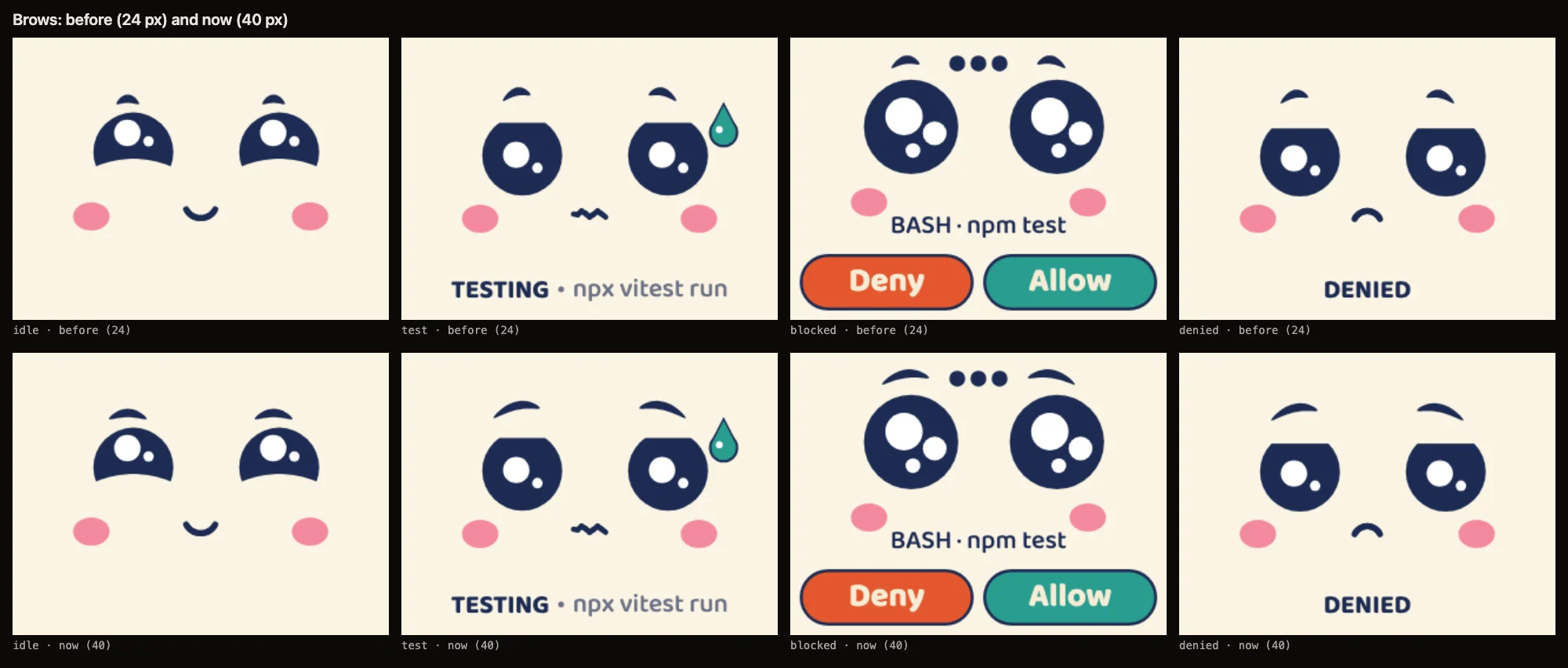
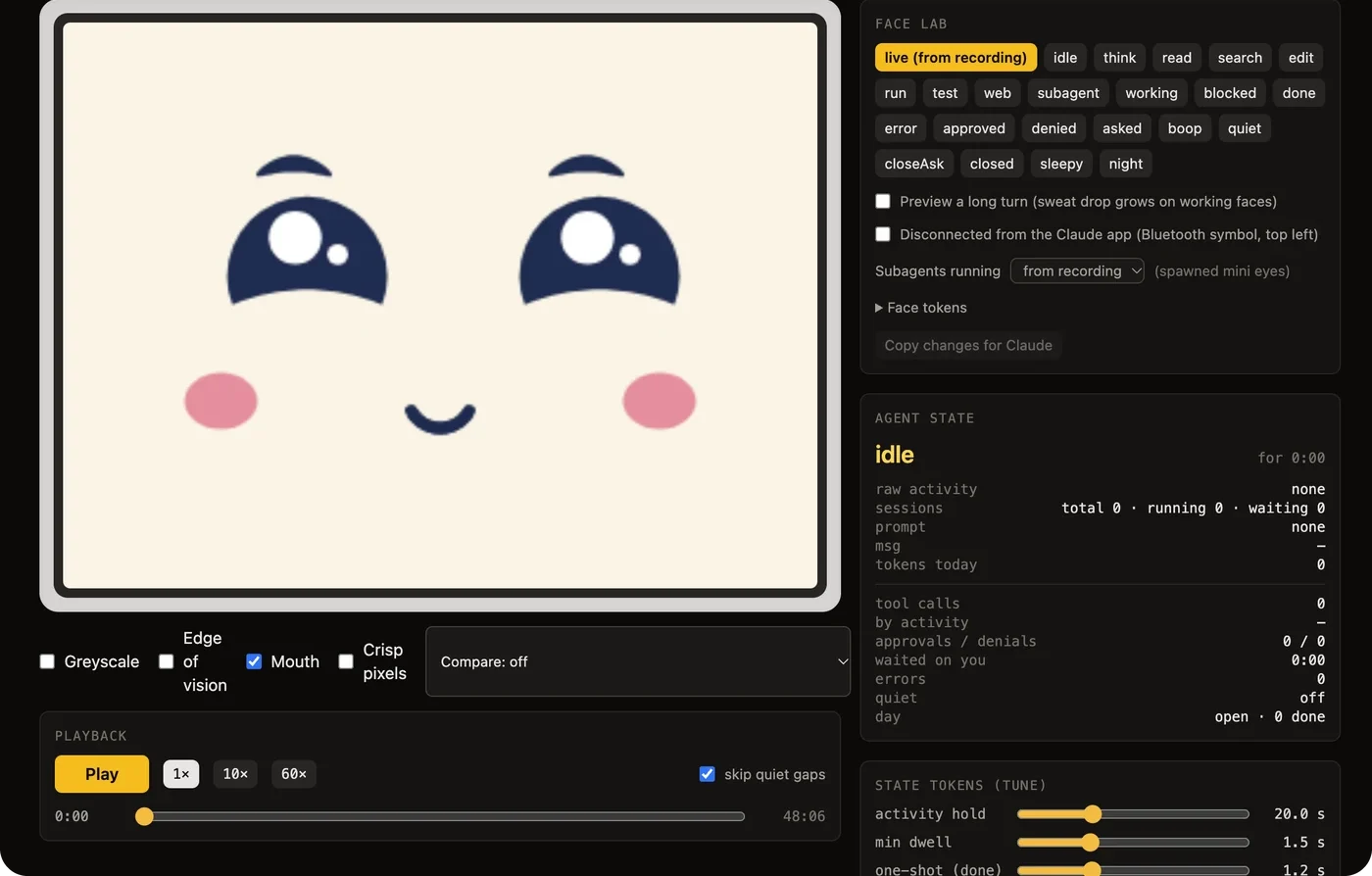
The first face was cream lines on dark navy, with ringed eyes and pupils. It worked, and it felt like an instrument. On 21 October I redrew it from a kawaii reference sheet, with solid navy eyes and white shines, crescent brows, pink cheeks on every face, and a cream screen.
I reviewed it on the robot with a small tool that holds any face on the screen while I make notes, and went through four rounds of that, face by face. The solid eyes turned out cheaper to draw than rings, so the new face runs faster too.







The scrapbook
A diary of your days, in stickers
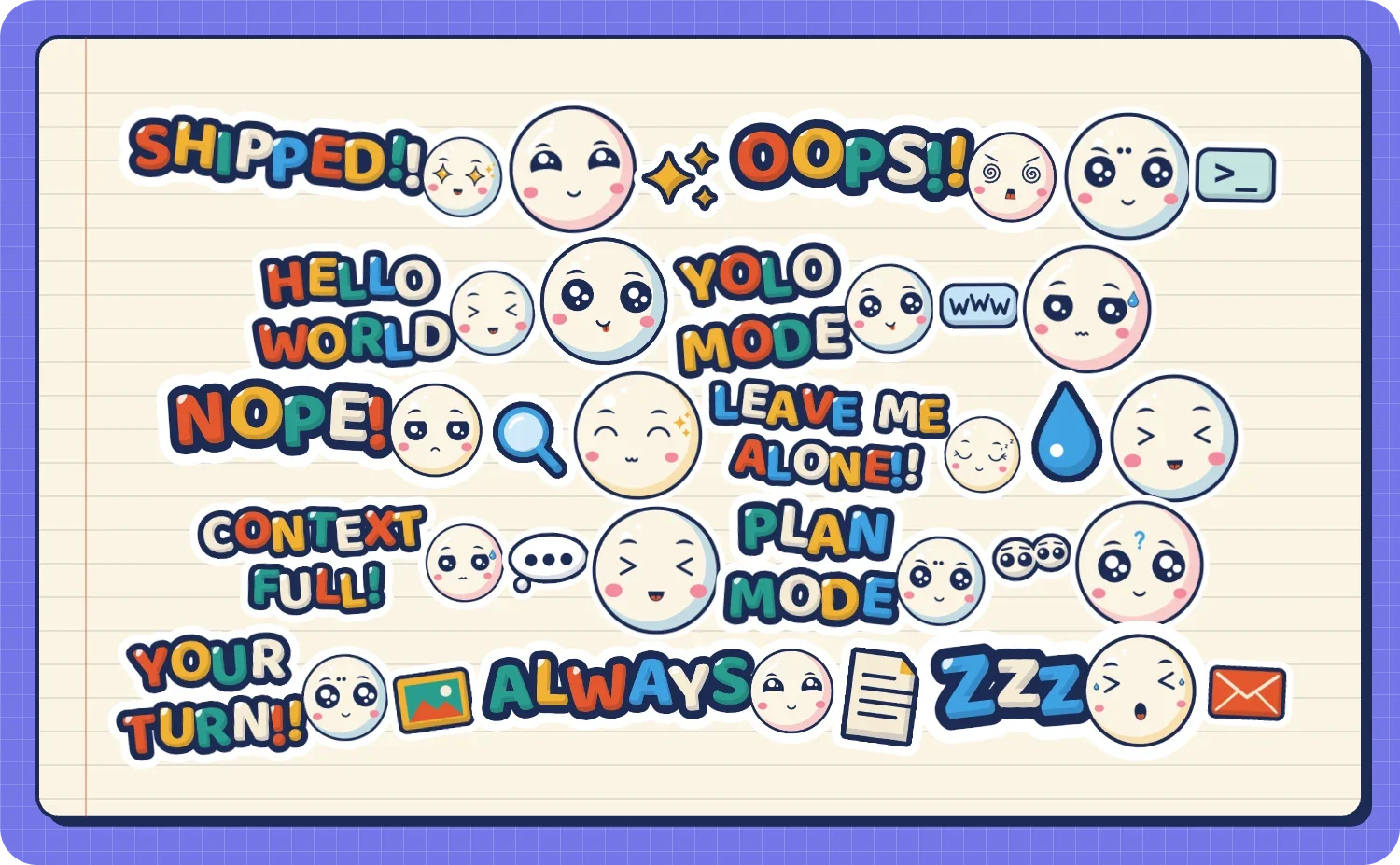
Toki keeps a scrapbook of your days with Claude, and it fills itself as you work. Each day is a notebook page, with a sticker for every prompt, sized by how much work it took. The moments that matter get stickers of their own: a push, an error, a long wait for your OK, the day you close.
Busy days come out silver or gold, and rare moments holographic. Zoom out and a month becomes a calendar, and the year a quilt of Toki's faces.
It stays on your Mac and never leaves it. There are no scores and no leaderboards.
At the end of the day, long-press Toki's face and a shop shutter comes down. Tap it to open the day again.
How it works
How the pieces talk
Claude Code tells a small bridge on your Mac what it's doing, through hooks. The bridge talks to Toki over Wi-Fi and keeps the scrapbook. The Claude desktop app connects to Toki directly over Bluetooth. When you tap Allow on Toki, the answer goes back the same way. The firmware runs on the robot's ESP32-S3.
Claude CodeClaude desktop app Your scrapbook, on your Mac
Who made it
Why I built it
I'm Gideon Bullock, a design leader. I've spent twenty-five years building design organisations, and this year I've been building products of my own with Claude.
Toki comes out of the same thread as the rest of that work. I've been working on AI that reads emotional signals since 2023, first at Toyota and now in Emotrix. Toki turns it round, and gives the agent a face that a person can read at a glance.
Install
About fifteen minutes
brew install g1d30nB/toki/tokitoki setup
toki setup walks you through nine steps and checks each one before moving on. It backs up the factory firmware first, and toki restore puts it back.
What you need
- An M5Stack StackChan K151 and its USB-C cable
- A Mac with Homebrew
- The Claude desktop app and Claude Code
- 2.4 GHz Wi-Fi that your Mac shares
Toki is a personal project, shared as is. Installing it replaces your StackChan's firmware. Setup backs it up first, so a robot should always be recoverable, but flashing firmware always carries some risk, and I can't promise support or fixes.
What's next
What Toki will do next
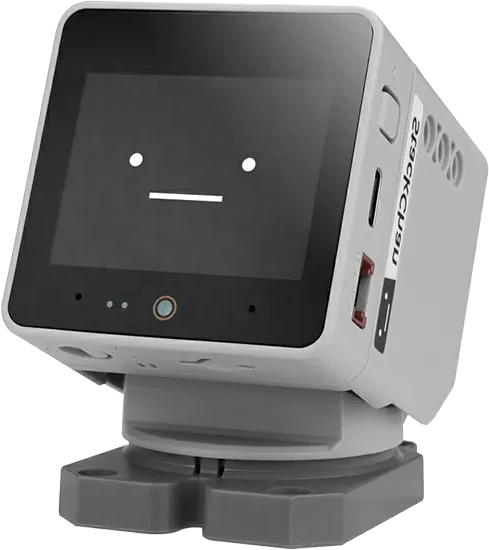
Toki already earns its place in one moment. I'm working somewhere else on the Mac, Claude has a question, and Toki looks up. Everything below starts from that moment and asks what the hardware on the desk could add to it. The robot has a camera, two microphones, a speaker, a proximity sensor, twelve LEDs and a touch strip on its head, and so far Toki uses almost none of them.
Each idea here has to pass one test. Would I use it on a Tuesday afternoon?
Planned
- 1
Say it out loud
When you're away from the Mac and Claude is waiting, a head lift isn't enough. Toki will read the question's first line, in a short synthetic voice, once. Opt in, off at night, and never when you're at the keyboard. The 1W speaker is the one part of the robot still silent.
- 2
While you were away
The proximity sensor can tell when you've left the desk and when you're back. Toki will keep a short list while you're gone and show it when you sit down. Tests passed. Pushed to main. One question waiting. The camera's face detection confirms it's you, on the robot, and the pictures never leave it.
- 3
One light per session
The twelve LEDs in the base become a row of sessions. Each lit LED is a running session in its colour, and a pulsing one is waiting for you, so you can count them from across the room without reading a face.
- 4
Snooze on the head
The touch strip on top of the head is out of sight from the chair, which makes it a good place for the one gesture you'd use without looking. Tap it when Toki looks up and it means "I've seen it, ask me again in five minutes". The head settles, the LED keeps pulsing.
- 5
A station jingle per session
Each session gets its own short melody when it finishes, in the manner of a Tokyo departure jingle, so you know which agent is done without looking. Opt in, like the voice.
What the hardware could do

Hold to ask
The stock firmware has a voice assistant with a wake word, and Toki removes it. The useful part can come back on your terms. Hold the touch strip and ask; let go and Toki hands the recording to Claude Code on your Mac, and reads the answer back. The microphones are live only while your finger is down, and the audio goes to your Mac and nowhere else.

Show Claude
The camera on the front can see what you hold up to it. Hold a sketch, a whiteboard photo on your phone, or the error on a colleague's screen, tap, and the picture lands in your Claude Code prompt as an attachment. It's a 0.3 megapixel camera, enough for a sketch, though too coarse for fine print.
A big red button
The base has three Grove ports. An arcade button plugged into one of them becomes Allow, and a second becomes Deny, for anyone who'd rather hit a button than tap a screen. M5Stack sells the parts for a few pounds.
Tap your phone
The NFC chip in the base can behave like a tag. Tap your phone on Toki and today's scrapbook page opens, or the question that's waiting, so you can read it in full from the sofa. Nothing to print, nothing to carry.
Pick it up
The motion sensor knows when Toki is lifted, tilted or shaken. Lifting it could be the way into quiet mode, and setting it down the way out, which suits a robot you'd move to make room for a notebook.

Two desks
Robots can talk to each other over ESP-NOW, a radio link that needs no router. A second Toki on a colleague's desk could show the sessions you share, so a pair working on one codebase both see who's waiting.
Toki is single-purpose, and that's the point. The stock assistant is one toki restore away if you miss it.
StackChan photo and drawing by M5Stack. Type set in Baloo 2, under the SIL Open Font License. The code is MIT licensed. Toki's faces and stickers are all rights reserved. Toki isn't made by or affiliated with M5Stack or Anthropic.