What it is
Nudge is a bookmarklet for the last stretch of building a site with a coding agent. That stretch is small visual corrections. A subhead capped too narrow, an image half a line off the text beside it, a gap that should match the one above. Writing "the button on the right in the third section, move it under the one to its left and make it a little wider" takes longer than making the change, and it is still ambiguous.
With Nudge you click the bookmark on the running page, select an element and drag it. You can resize, move by a pixel with the arrow keys, edit text in place, and step type sizes and colour tokens. When a section looks right you copy the batch and paste it into your agent as the whole message, and the agent edits the source.
How it works
Nudge reads the rendered page, so it works on anything a browser can open, whatever the stack. A batch is plain text. Each entry names the element by its selector path and a snippet of its text, then states what changed and what it now lines up with. One line from a real batch reads "width 400px → 558px (was capped by max-width: 400px)". Where a size snapped to another element's size, the batch says the two match, which tells the agent they belong together.
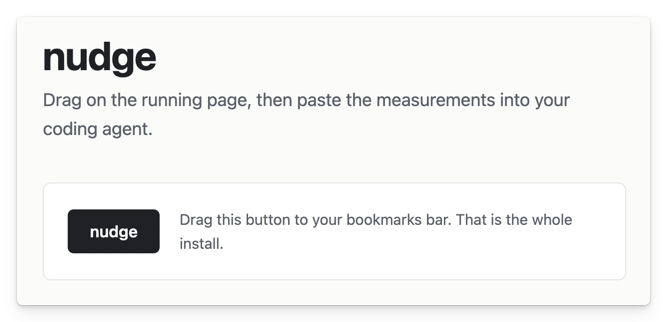
It is one file of vanilla JavaScript with no build and no dependencies. Installing it means dragging a link from the install page to the bookmarks bar. A project can also load it in development only, where it waits as a small dot in the corner of the page and refuses to run on a public address.
Two decisions
Nudge never writes to your files. It reads the rendered page and has no knowledge of how the source expresses what it sees. The agent has that knowledge, so the edit belongs to the agent. The change that lands in the code arrives as an ordinary agent diff that you can read before you keep it.
A move is recorded as a relationship wherever one exists. If you release an element on a guide, the batch says its bottom edge now aligns with the bottom edge of its neighbour, and it tells the agent to express that with layout such as alignment or grid placement. A bare pixel offset would be true at one viewport and wrong at the next. Only the axis you moved on is written down, so a vertical drag never reports a left edge that already lined up.
Contact
I build AI products and take on interim design leadership. I'm open to the right VP, Head of Design or Design Director role in London, where design has to become a real function and the AI question is live.
Email gideonb@me.com, connect on LinkedIn, or download my CV.